We aim to build a site where people with different languages, ways of seeing and hearing, ways of using controls, and levels of understanding can play together.
BoardGameJoin aims to bring together people with different
so they can play together.
Here is what works today and what we are working on. There is still much to improve.
You can play games with boards, cards or dice in Japanese and English. Rules and controls are explained in each language.
So that people who speak different languages can share a table, games available in both languages show on-screen guidance in each player's own language.
Games that need Japanese words or poems are available only in Japanese, because they would not work in translation.
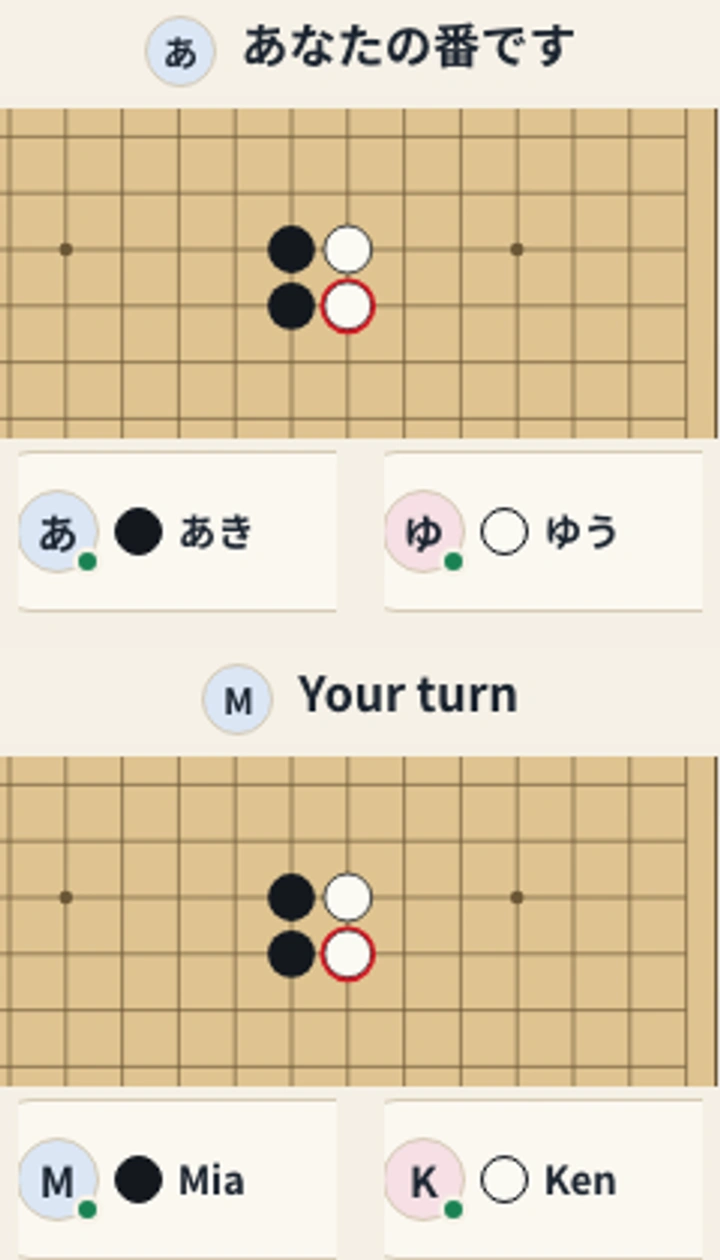
Gomoku: Japanese above, English below. Enlarged turn messages, board centres and player names from one table.
Work in progress
We are preparing to make games available in Traditional Chinese, Korean, Spanish, Portuguese, German and French.
2Different ways of seeing and hearing, playing together
What works today
So that you can play even if colours are hard to tell apart, every game shows the distinctions needed to play through shapes, symbols, text or position as well as colour.
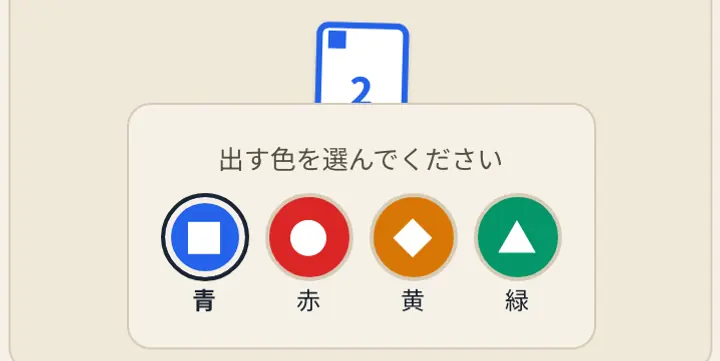
So that you can play without telling colours apart, Page One uses ■, ●, ◆ and ▲ on both its cards and colour selection buttons.
So that you can play without hearing, games that do not involve conversation can be played with sound off. Turns, results and invalid moves are also shown through text or symbols.
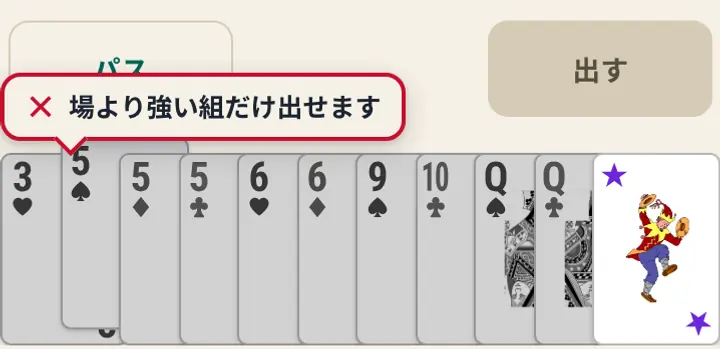
Page One: matching symbols on cards and buttons.Daifugo: an × and a reason, with sound off.
Work in progress
Tic-Tac-Toe and High-Low have short screen reader updates for moves, turns and the end of the game.
You can reread the board from a heading. Pressing a square you cannot use also explains why.
Testing with real screen readers such as VoiceOver is still to come. We will expand to more games once we have checked them.
For conversation games, we still need to check text-only participation.
3Different ways of using controls, playing together
What works today
We are adding ways to play through clicks or taps for people using alternatives to a mouse.
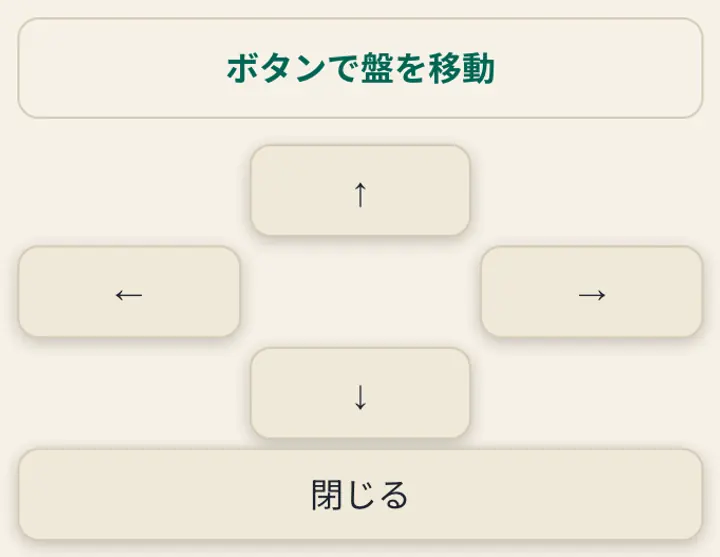
So that you can move around without dragging, games with board zoom offer “Move the board with buttons” in the menu. Press a direction to view another area.
So that you can draw without tracing, drawing games let you draw a line by selecting two points.
So that you can play without a mouse or touch screen, we have checked that some games can be played from start to finish using only a keyboard.
Sugoroku: direction buttons move the board.
Work in progress
We have not yet tested switch access, eye tracking or voice control on actual devices.
4Different levels of understanding, playing together
What works today
So that you can start without knowing the rules, every game has rule explanations and a tutorial that teaches you through play.
So that you know why something cannot be done, trying to play an unavailable card, for example, shows an × and a short reason where you selected it.
So that you can catch up if you miss something, the in-game menu lets you review recent moves or revealed results, depending on the game.
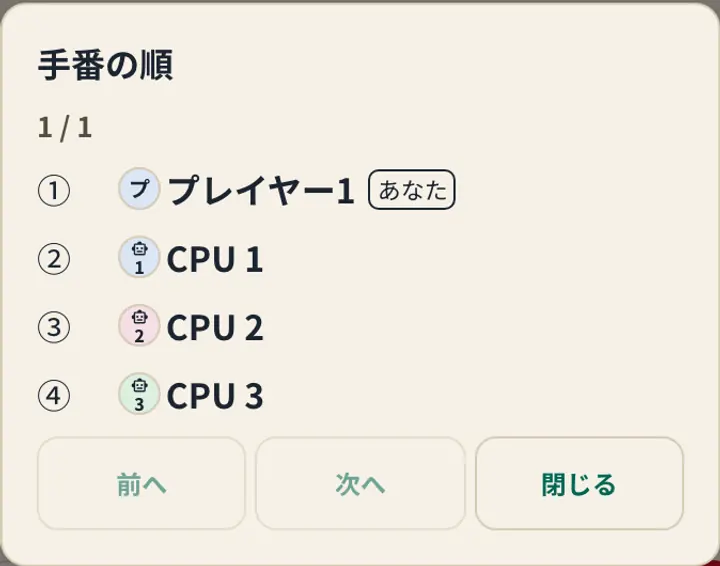
So that you do not lose track of whose turn it is, games where turn order matters show the order with player icons and names before play. You can review it from the menu during play.
So that you can read at your own pace, the final result in every game stays until you close it.
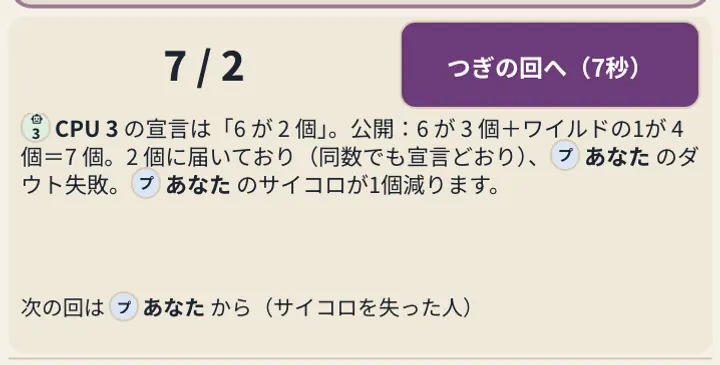
So that the game does not move on before you finish reading, games such as Blackjack wait after an intermediate result until all connected players confirm or ten seconds pass.
Mahjong keeps results for twenty seconds with two or more human players. Against the computer, results stay until you confirm.
So that you are not rushed if you need more time to think, Mahjong lets you turn off the turn timer in the table settings.
Turn order: review the list in the menu.Liar’s Dice: read the result, then continue.
Work in progress
We still need to check whether the pacing allows enough time for slower typing.
Send us feedback
Please tell us about anything that is difficult to use or changes that would help you play. If you can, include the game, your device or input tools, and where you ran into difficulty.